Our platform
Binary findings, cross-verified against your existing scanners
Our binary analysis runs alongside Tenable One Vulnerability Management. Security teams scan, evaluate and remediate from one interface, and see which findings agree, which are noise, and which nobody else caught.
Our platform · security overview
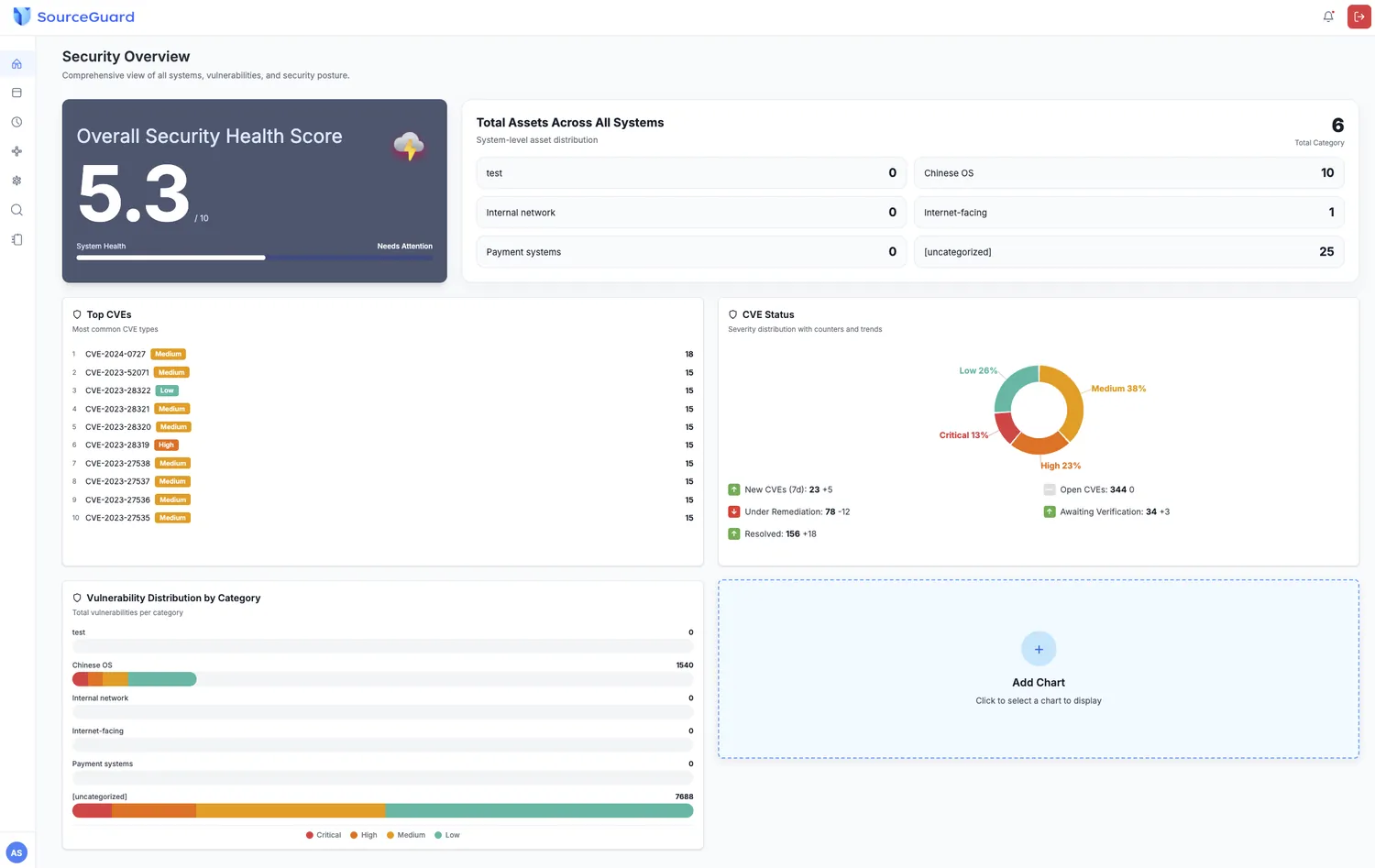
An executive view that a board will read
The core monitoring dashboard is configurable. Each team decides which charts and figures belong on it.
Security health score
A 0–10 score derived from the overall status of all assets
Asset distribution
Breakdown by system category: payment systems, external networks, internal networks
Vulnerability statistics
Counts and trends by severity: critical, high, medium, low
Top vulnerabilities
The ten CVEs currently posing the greatest threat to your systems
Settings · categories
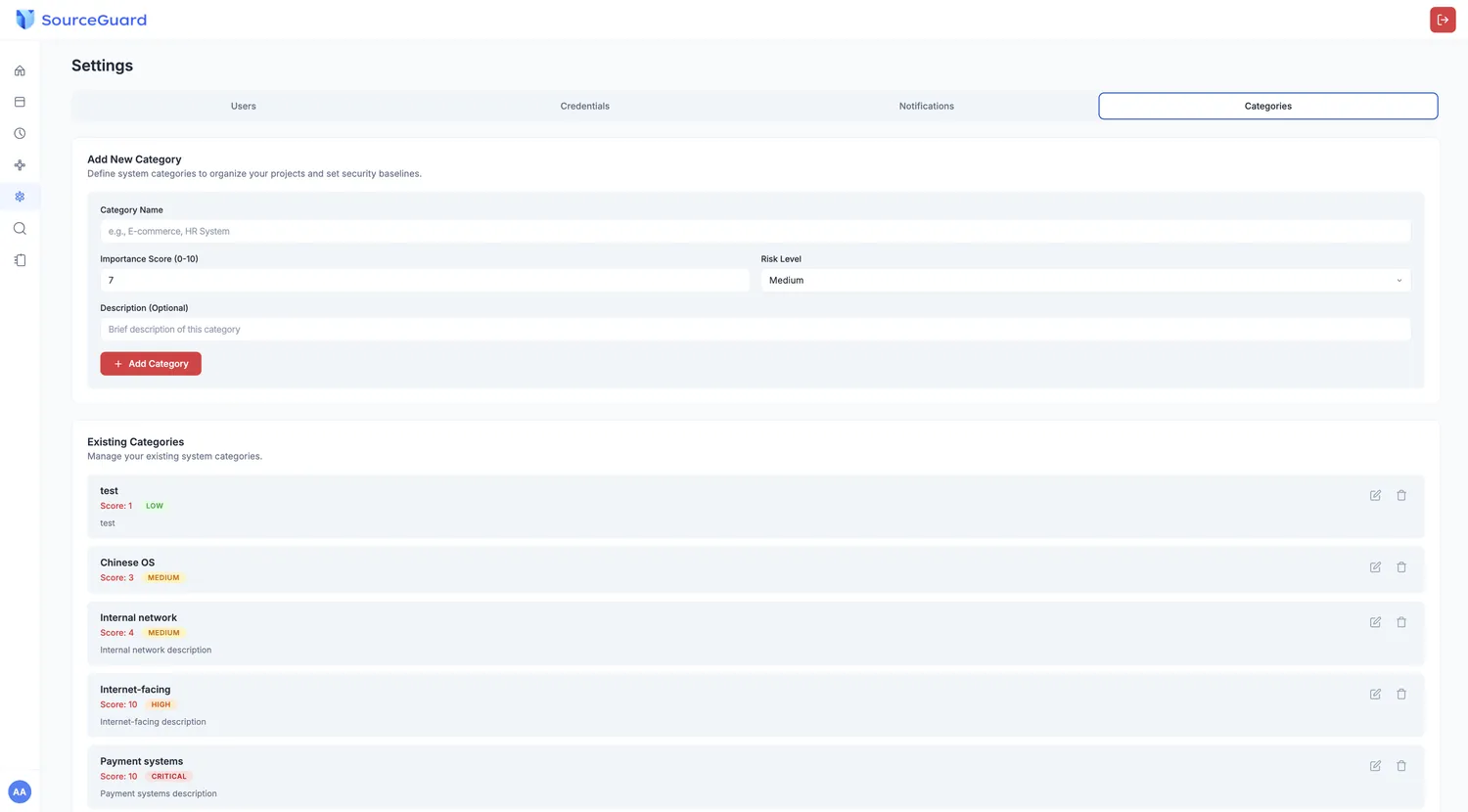
Your security baseline, written down once
Category definition
Define your own system categories and set an importance weight from 0 to 10
Risk level assignment
Preset levels per category, so high-value assets take priority
Our platform · plugin settings
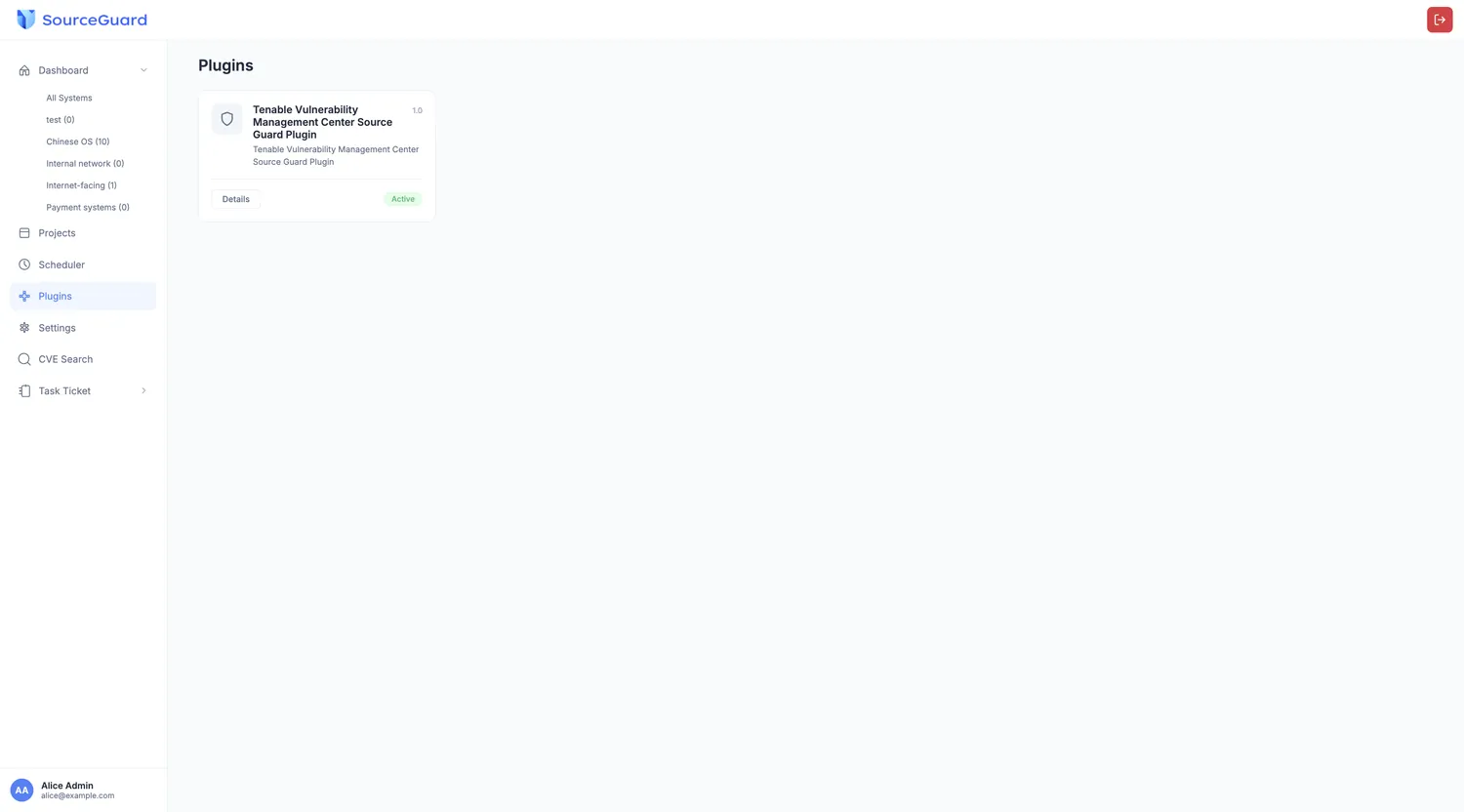
Bring the scanners you already own
Tenable One Vulnerability Management is integrated natively. Enter the URL and authorisation key, and our platform triggers Tenable scans and manages the results alongside its own.
Full setup walkthrough in the integration guide.
Read the integration guide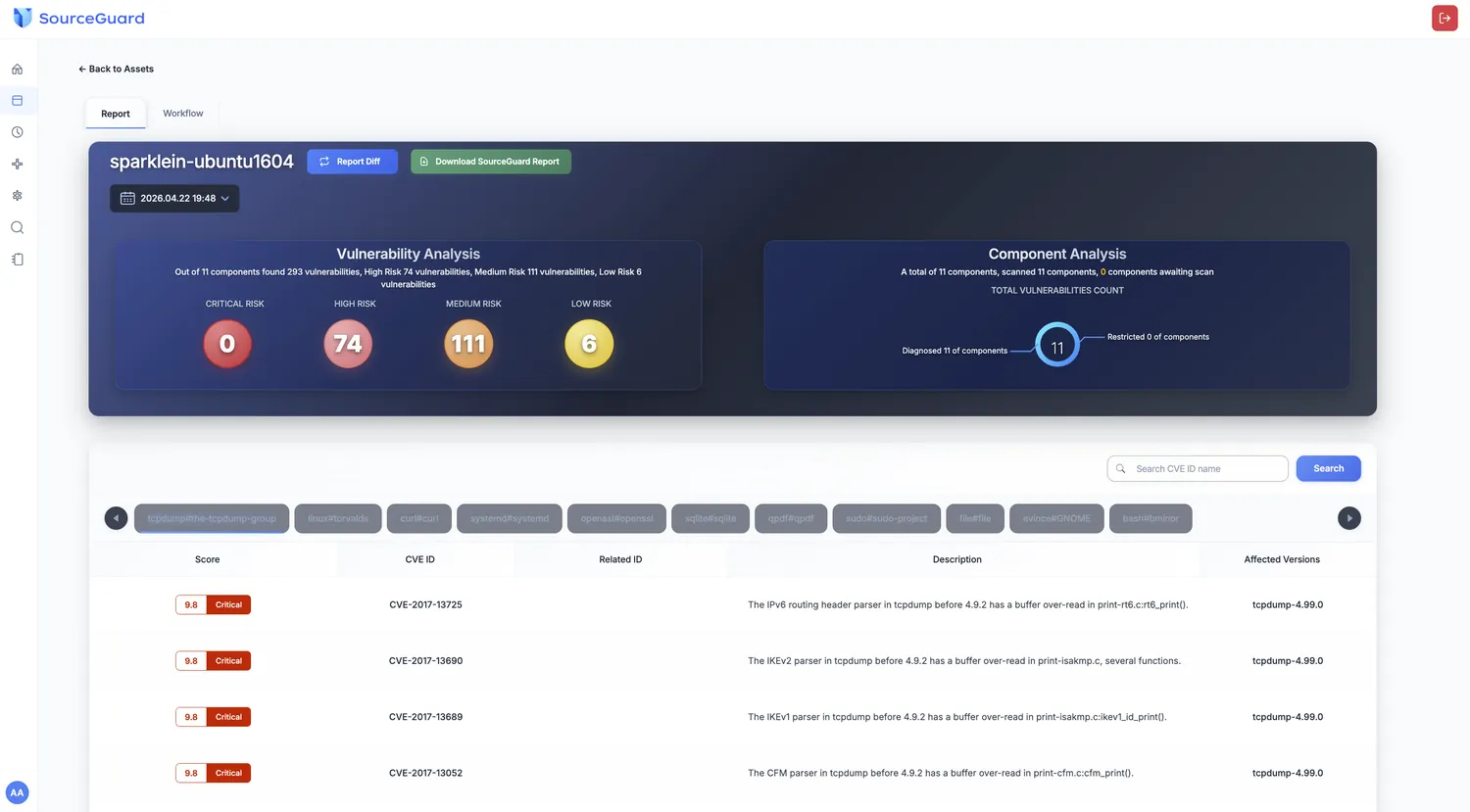
Analysis and report
Every component the binary contains
Component analysis
Total components scanned and the security status of each
CVE list
Every detected identifier with CVSS score, description and affected versions
Patch detail
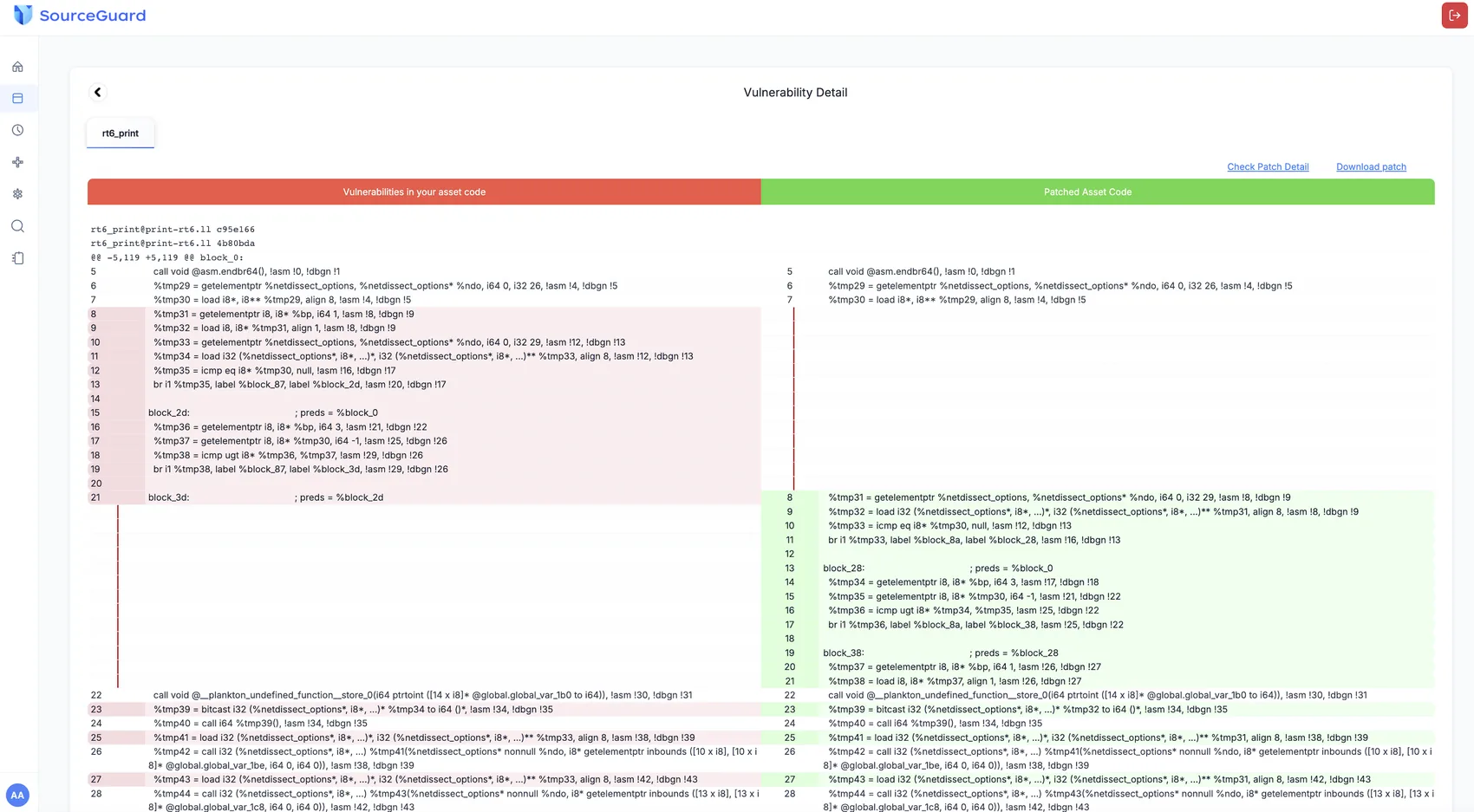
Remediation guidance, and evidence the vendor fixed it
Code comparison
The vulnerable code beside the recommended fixed code, pinpointing the exact location
Technical detail
Affected file paths and the specific functions involved
Recommendations
Patch details that tell a developer exactly what to change
Cross-verification
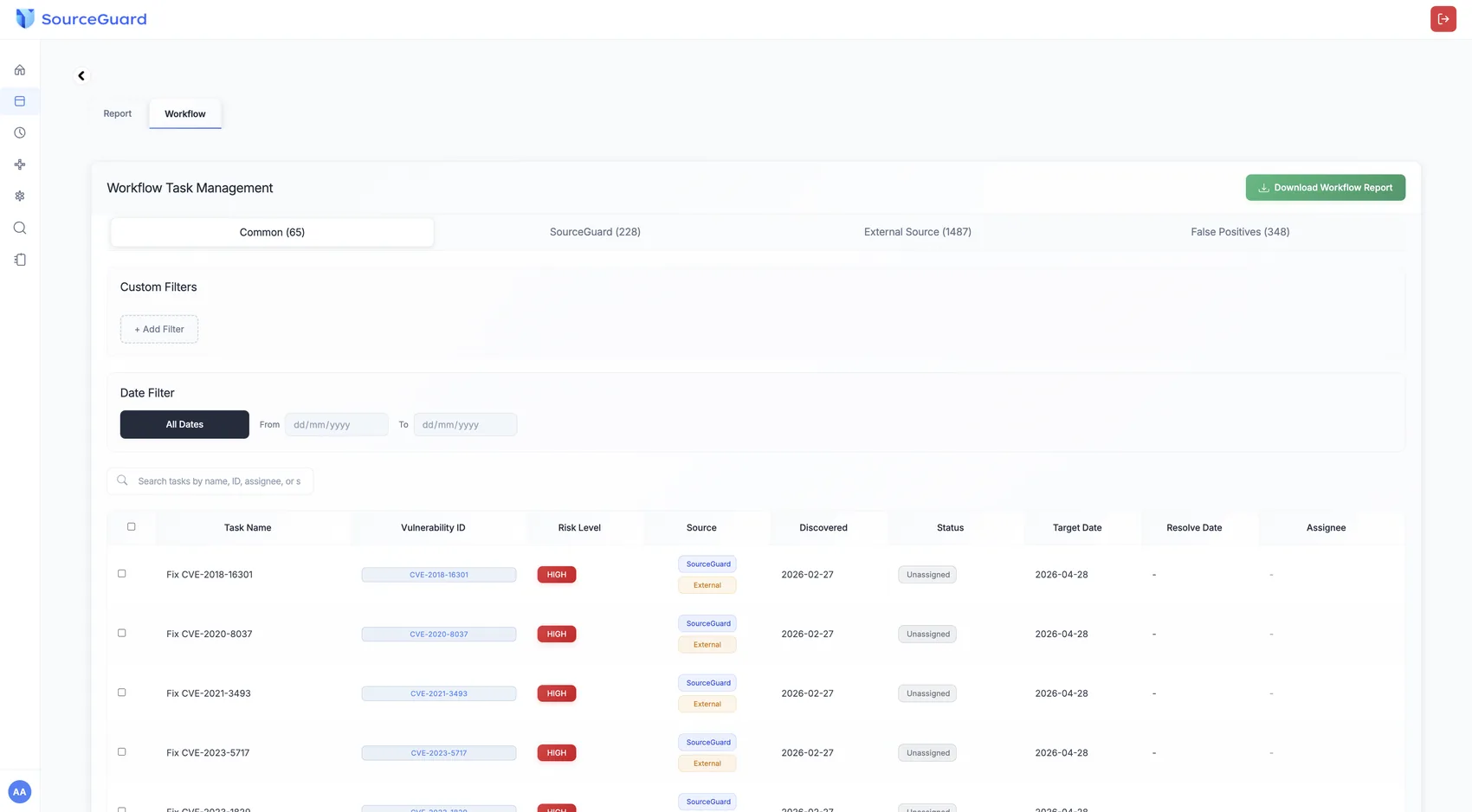
The page where the argument ends
A decision-making hub for security teams and developers, showing the findings the engine has verified.
Multi-source alignment
Labels separate our platform, external sources and false positives, so the noise reduction is visible
False positive list
Automatically filters findings where the version matches but the code is already patched, or the vulnerable function is never called
CSV download
Track and assign the vulnerabilities that survived verification
Scheduler
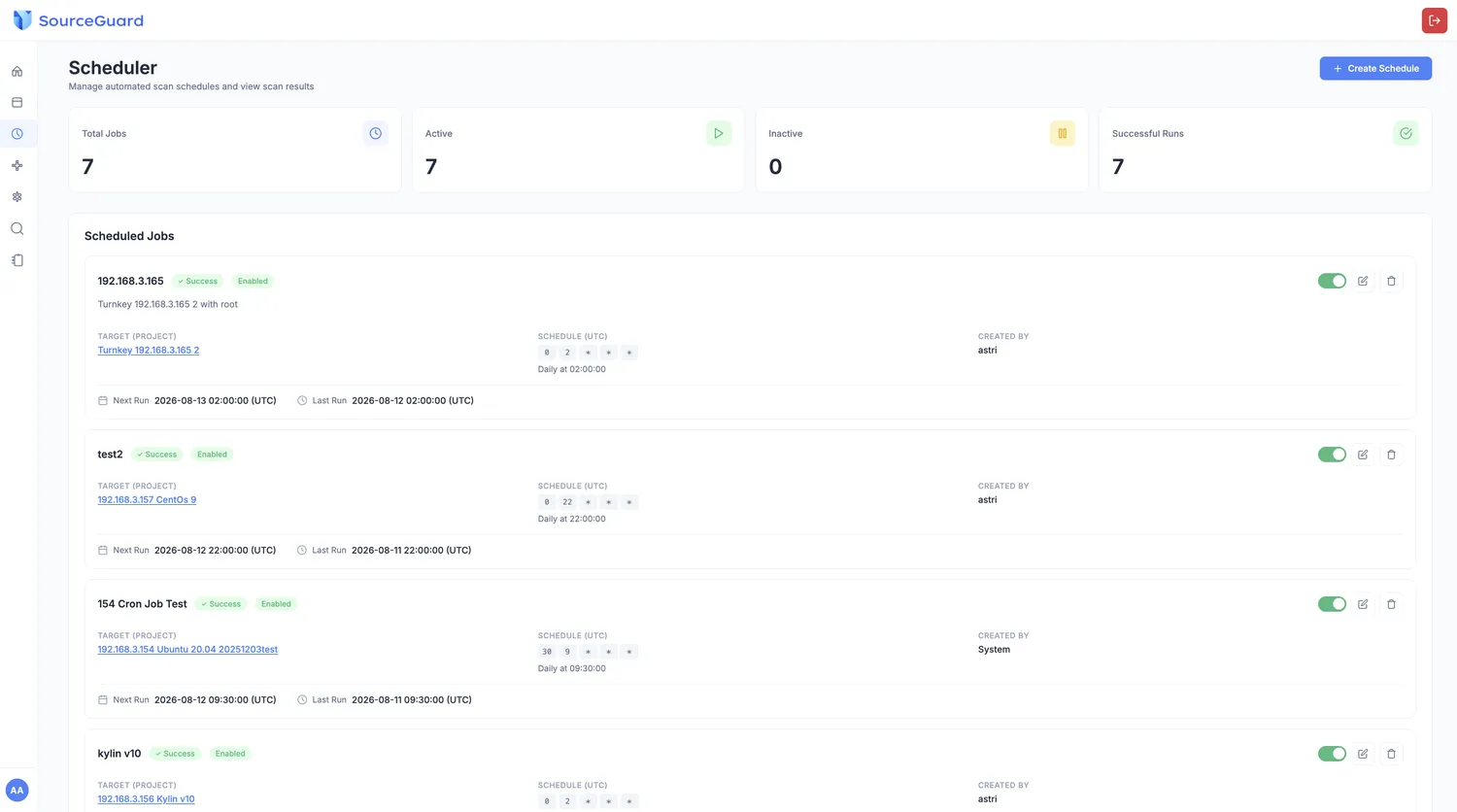
Set it once. It runs at 22:00 every night
Cron-style timing, with the next scan time shown in advance. Repetitive, fixed scan jobs stop being a weekly configuration task.